Task planning with life balance

What should you work on next?

Balamentum answers exactly that. It weighs dependencies and your life areas to find the task that pays off most right now. You get things done instead of sorting lists.

Free, no credit card. Email sign-in links work for existing accounts.

Already in? Open the app

Balamentum dashboard showing the next task and the life balance

What you get

  • Less second-guessing: the app tells you what matters now.
  • More balance: no area of your life gets left behind for long.
  • Quick capture: type or speak your tasks.
  • Start for free, no credit card.

Ready in three steps

  1. Sign in with Google

    One click. No form, no password.

  2. Add your tasks

    Type or speak them. Link dependencies and life areas whenever you like.

  3. Do the next task

    The dashboard shows what matters now and how balanced your week is.

What makes Balamentum different

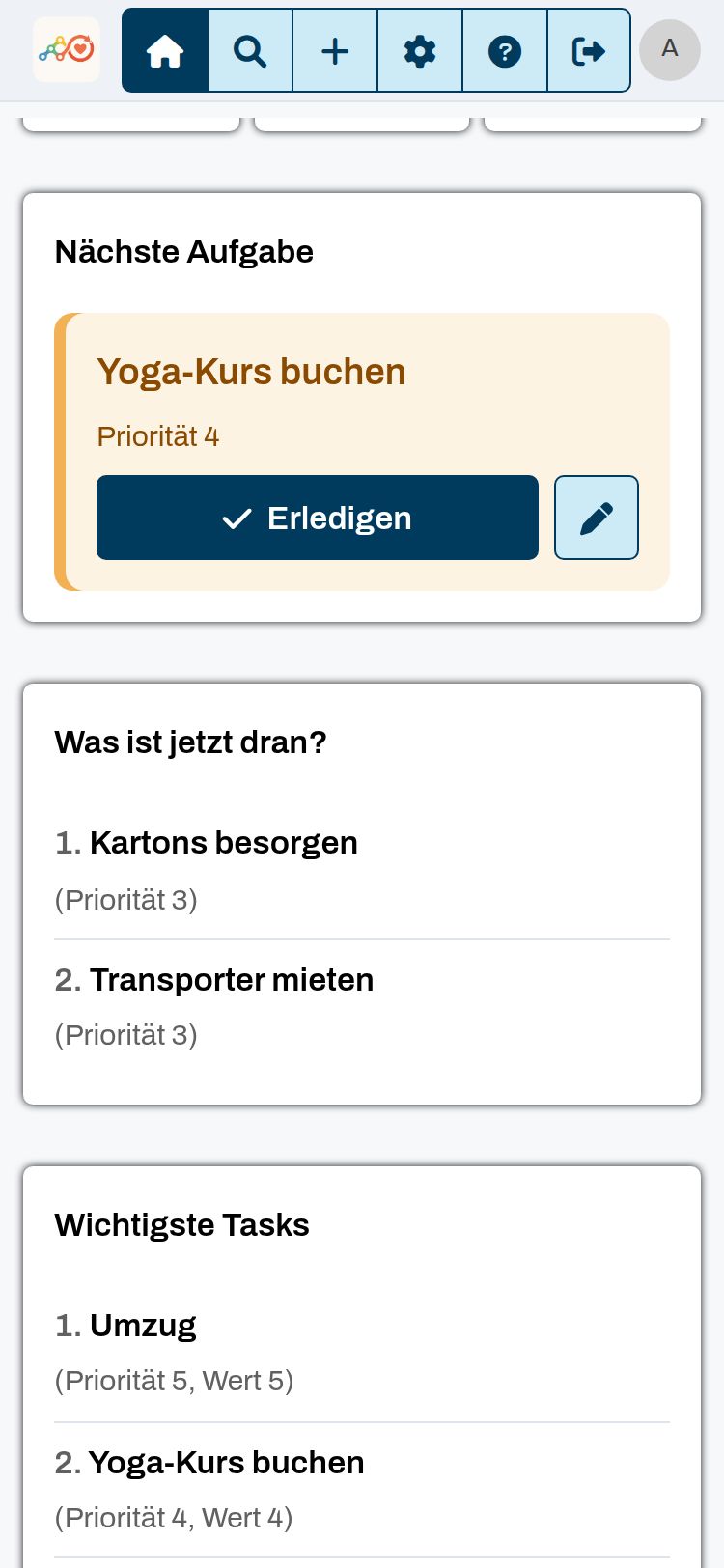
One next task, not an endless list

The app shows the most valuable task whose prerequisites are already done. That is your answer to “what now?”.

  • Value, priority and effort of every task count.
  • Tasks still waiting on others stay out of the way.
  • Tap “Done” and the next one moves up.
Screenshot from the app: One next task, not an endless list

Objective, not guessed

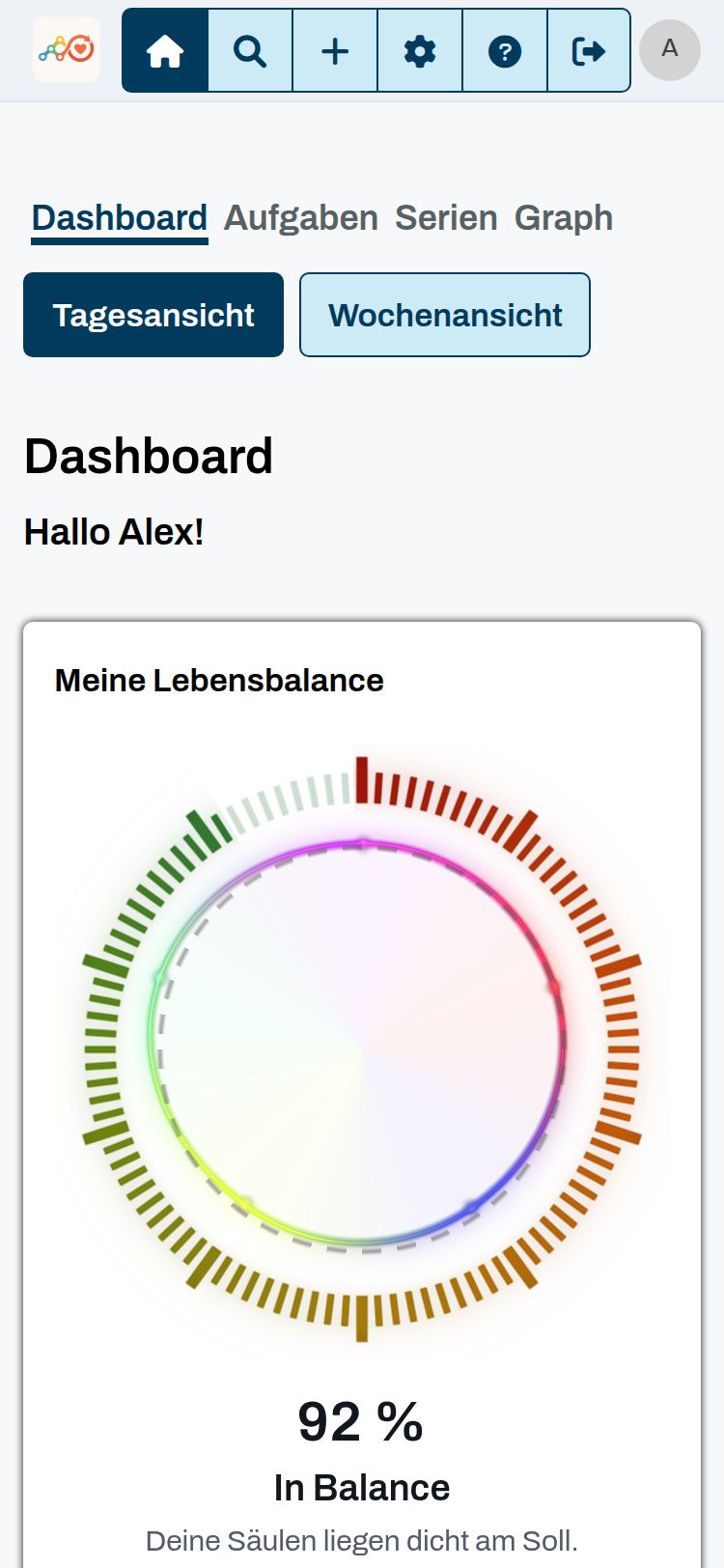
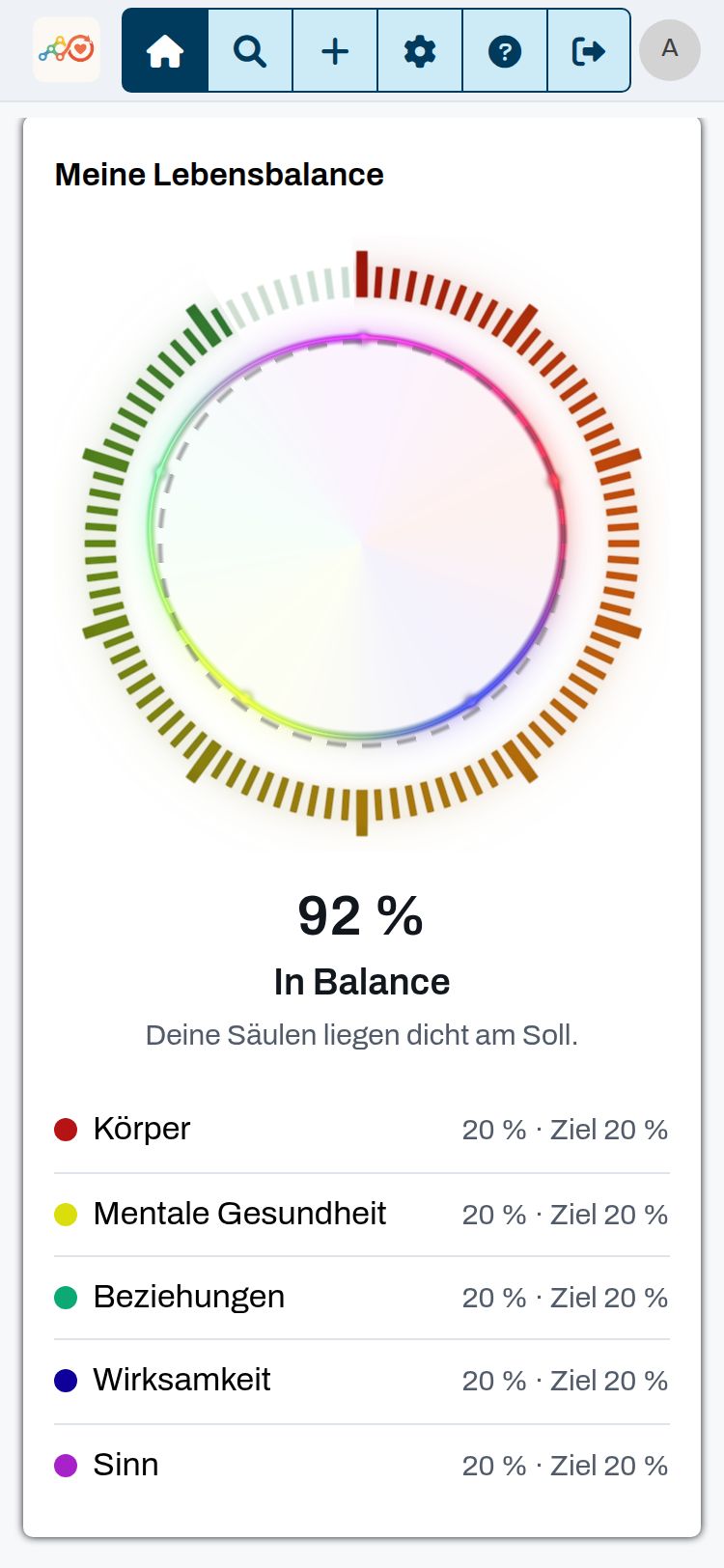
Body, relationships, meaning, mental health, impact: every single task carries its own weight. Your balance is objective, based on effort-weighted work actually done, not on self-assessment.

  • Five pillars: body, mental health, relationships, impact and meaning.
  • The chart on the dashboard shows how balanced your last four weeks were.
  • If you like, the list moves tasks from neglected pillars to the top.
Screenshot from the app: Objective, not guessed

A real task graph

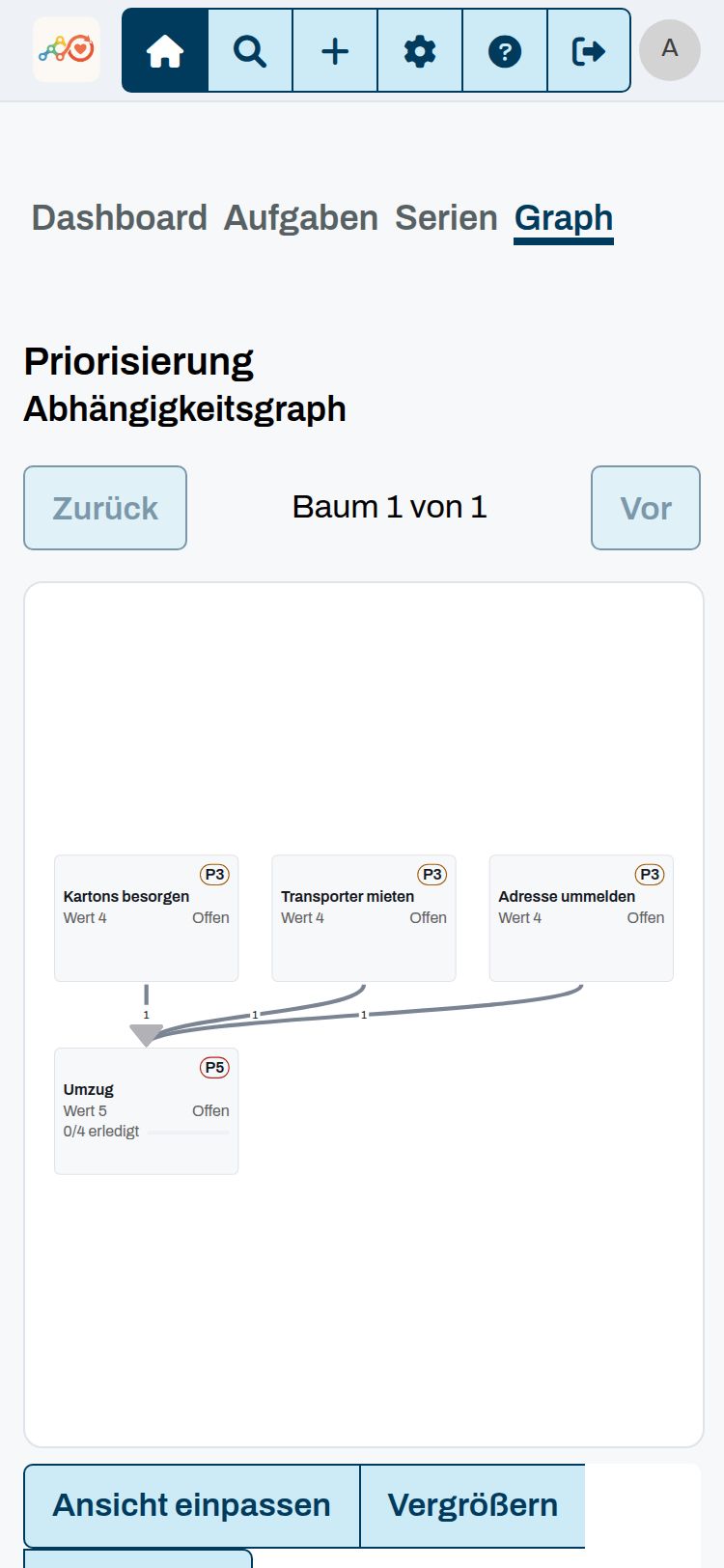
Tasks build on each other. Balamentum's graph-based engine adds up value and effort along the whole chain and detects cycles.

  • The graph shows which task waits for which.
  • Value and effort add up along the whole chain.
  • The app detects cycles and tells you.
Screenshot from the app: A real task graph

AI and voice input

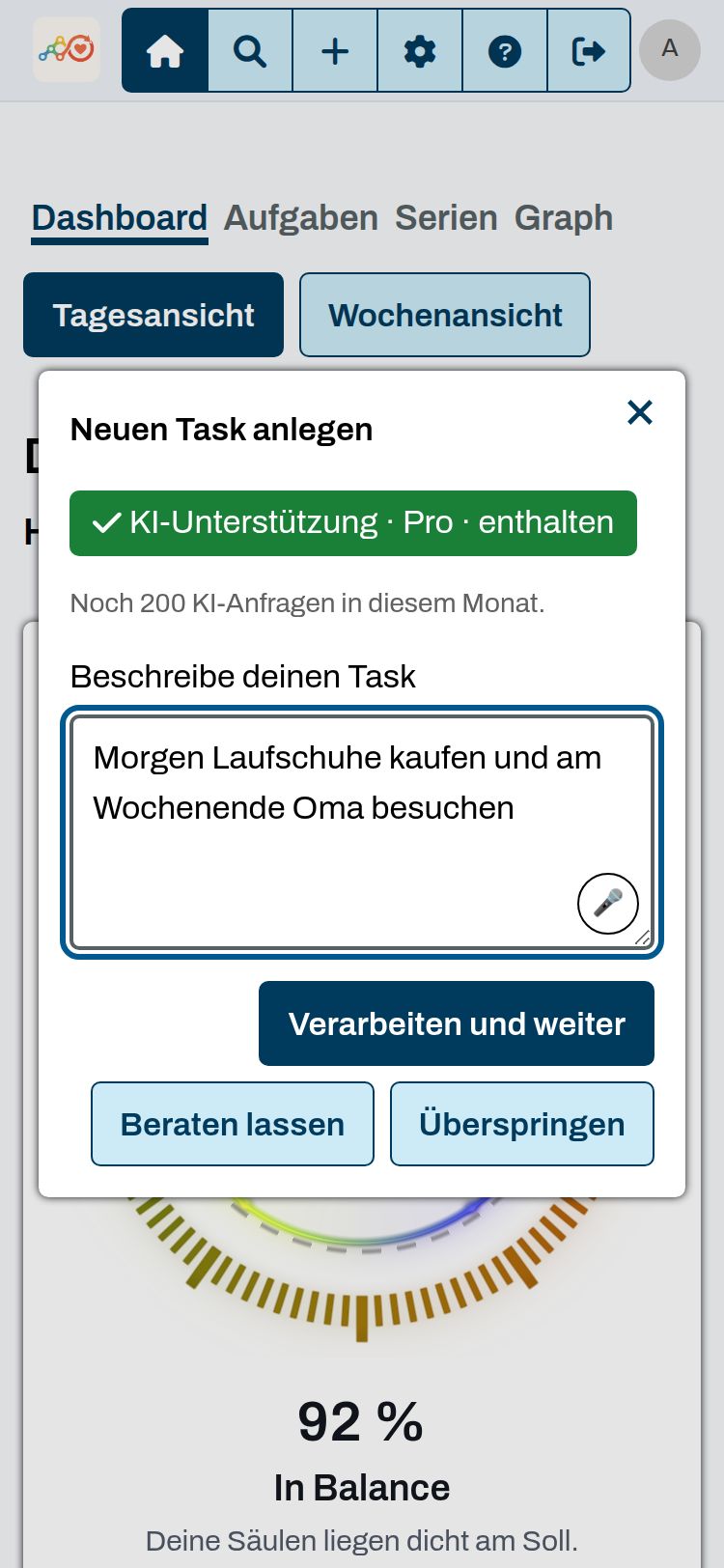
Capture tasks by voice. The AI suggests matching pillars and polishes titles and descriptions, with your own provider if you prefer.

  • Speak a whole sentence and the AI turns it into separate tasks.
  • It suggests matching pillars along the way.
  • Voice input is already part of the free plan.
Screenshot from the app: AI and voice input

Plan with your AI assistant

Through the MCP interface your AI assistant can reach your tasks. Ask in the chat what is next, add tasks, or have your balance explained.

  • Create an access token in the settings and add the MCP address to your assistant.
  • Works with Claude and other assistants that speak MCP over HTTP.
  • Reading comes with Max, creating and editing with Ultimate.
Example chat
  1. You: What should I do next?
  2. Tool: next_task
  3. Assistant: Next up is “Book a yoga class”, priority 4. It is due the day after tomorrow.
  4. You: Add “Visit grandma” for Saturday.
  5. Tool: task_create
  6. Assistant: Done. “Visit grandma” is on your list, due Saturday.
  7. You: How balanced was my month?
  8. Tool: balance_status
  9. Assistant: 92 %, you are in balance. All five pillars are on target.

Also included

Plan together

Invite family or team to a group by link and hand tasks to each other.

  • Invite by link, no address book needed.
  • Create tasks for each other and hand them over.

Open and always at hand

Installable on phone and desktop, with push reminders and location reminders.

  • Push reminders and location reminders.
  • Install straight from the browser, no app store.

Plans

Start for free. Need more? Switch plans in the app at any time.

Free

€0

  • Tasks, series, checklists, deadlines, points and balance analysis
  • Voice input

Pro

€7.99 / month

or €76.70 per year

Everything in Free, plus:

  • Groups and invite links
  • AI help: pillar advisor and copy editing (60 AI requests per month)

Max

€14.99 / month

or €143.90 per year

Everything in Pro, plus:

  • Edit weighted dependencies
  • Location reminders
  • MCP interface (read)
  • 110 AI requests per month

Ultimate

€24.99 / month

or €239.90 per year

Everything in Max, plus:

  • MCP interface (read and write)
  • 200 AI requests per month

Pay quarterly and save 10 %, pay yearly and save 20 %. All prices are final; no VAT is charged under § 19 UStG (German small business rule).

Start for free

Frequently asked questions

How much does Balamentum cost?

The Free plan costs nothing and has no limit on the number of tasks. Pro, Max and Ultimate unlock groups, AI help and interfaces.

What data does the app get from Google?

Only your name, email address and profile picture. You don't need a separate password.

How do I cancel a plan?

In the app under Settings. Billing runs through PayPal, and you can switch or cancel at any time.

Does it work on my phone?

Yes. Balamentum is built for one-handed use and can be installed as an app on your home screen.

Is the app accessible?

The interface follows WCAG 2.2 and BITV 2.0 and is built on the tested KoliBri components.

Your next task is waiting

Sign in, add your first task, get going.

Start with Google